Skip to content
Search
Events
All Events
Peanut Night
Plan
Media
Get Updates
Stories
Global Cup 26
Events
All Events
Peanut Night
Plan
Media
Get Updates
Stories
Global Cup 26
Shop
Dine
Play
Stay
Gems
More
Shop
Dine
Play
Stay
Gems
More
Shop
Dine
Play
Stay
Gems
More
Shop
Dine
Play
Stay
Gems
More
Events
All Events
Peanut Night
Plan
Media
Get Updates
Stories
Global Cup 26
Events
All Events
Peanut Night
Plan
Media
Get Updates
Stories
Global Cup 26
How to Leave a Google Business Review
Desktop web browser
Go to
www.google.com/maps
At the top-left area, search for a business name.
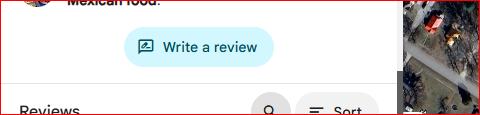
Scroll in the left-navigation menu, and click the “Write a review” button.
Google Maps on Android Phones
Open the Google Maps application.
In the “Search here” box at the top, enter a business name.
Scroll the lower part of the screen until you see the “Overview Menu Reviews Photos…”, then click on “Reviews.”